
If you own multiple JBL speakers, you might be wondering how to connect them all together for an even more immersive sound experience. I’ll be showing you a simple step-by-step guide to accomplish this easily. You’ll be able to amplify your musical enjoyment and create a fantastic, synchronized sound setup.
With JBL’s Connect+ technology, you can effortlessly link up multiple speakers to simultaneously play the same music. This feature is available to a wide range of JBL portable speaker models, so it’s likely that your speakers are compatible. Whether you’re hosting a party, enjoying outdoor activities, or just seeking a more powerful audio experience, connecting multiple JBL speakers together is a great solution.
To effectively connect your JBL speakers, you just need to follow a few simple steps involving pairing, linking, and playback. In the upcoming sections, I’ll be breaking down these steps into an easy-to-understand guide to help you get the most out of your JBL speaker setup. Let’s dive in and unlock the full potential of your audio system.
- Why Connect Multiple JBL Speakers Together?
- Understanding JBL's Connect+ and PartyBoost
- Step-by-Step Guide to Connecting JBL Speakers Using Connect+
- Step-by-Step Guide to Connecting JBL Speakers Using PartyBoost
- Troubleshooting Common Connection Issues
- Tips for Optimizing Speaker Positioning
- Pairing Additional Devices to Your JBL Speakers
- Compatible JBL Speaker Models
- Limitations of Connecting Multiple JBL Speakers
- Conclusion: Enhance Your Audio Experience
Table of Contents
- Why Connect Multiple JBL Speakers Together?
- Understanding JBL’s Connect+ and PartyBoost
- Step-by-Step Guide to Connecting JBL Speakers Using Connect+
- Step-by-Step Guide to Connecting JBL Speakers Using PartyBoost
- Troubleshooting Common Connection Issues
- Tips for Optimizing Speaker Positioning
- Pairing Additional Devices to Your JBL Speakers
- Compatible JBL Speaker Models
- Limitations of Connecting Multiple JBL Speakers
- Conclusion: Enhance Your Audio Experience
Why Connect Multiple JBL Speakers Together?
Connecting multiple JBL speakers together creates a multi-speaker sound system with synchronized audio. This type of setup boosts the overall volume and enhances the listening experience. Let’s dive into the specific reasons why connecting multiple JBL speakers together can be beneficial.
Firstly, the increased volume is a top reason users opt for this setup. By connecting multiple JBL speakers, it’s possible to achieve a louder sound area without needing a large, expensive speaker system. Whether hosting a party or watching a movie, having more speakers working in unison elevates the experience.
Secondly, connecting multiple speakers allows for better sound coverage, which means enhanced audio distribution throughout the space. While a single speaker may struggle to project sound evenly across a large room, a multi-speaker setup ensures every corner receives the same audio quality, removing that single-speaker limitation.
Audio performance benefits to consider when connecting multiple JBL speakers together:
- Increased Volume: Louder sound area for a more immersive experience.
- Even Distribution: Consistent audio quality across the entire space.
- Optimal Clarity: Enhanced detail and sound clarity at lower volumes.
There’s also a considerable improvement in the overall sound quality. A multi-speaker setup can reduce distortion that may occur when a single speaker tries to play at maximum volume. This is especially true for JBL speakers, as they are known for their superior audio quality, making them an excellent choice for multi-speaker connectivity.
An often overlooked advantage of connecting multiple JBL speakers is how a seamless and wireless setup helps maintain an aesthetically pleasing space. Wiring multiple speakers can become a mess, but JBL’s Wireless Daisy Chaining eliminates this issue, keeping everything neat and clutter-free. Additionally, deploying multiple JBL speakers in a home makes it possible to create a multi-room audio system, allowing music to flow through various parts of the house while controlling every speaker individually.
In conclusion, connecting multiple JBL speakers together maximizes your listening experience with increased volume, better sound coverage, optimal clarity, and a wireless setup that keeps your space organized. The advantages of a multi-speaker system make it the perfect choice for parties, movies, or simply enjoying music throughout the home.
Understanding JBL’s Connect+ and PartyBoost
Before diving into the step-by-step process of connecting multiple JBL speakers, it’s essential to learn about the two technologies that make it possible: Connect+ and PartyBoost. These features allow JBL speaker users to level up their listening experience by linking multiple devices for a synchronised and immersive audio output.
Connect+ was the first technology JBL introduced to link multiple speakers. This allowed up to 100 Connect+ enabled devices to work together for a simultaneous sound experience. However, it’s important to note that Connect+ is not backwards compatible, meaning you can’t pair Connect+ enabled speakers with older JBL devices without this feature.
After Connect+, JBL introduced PartyBoost as the new standard for their portable speaker range. PartyBoost is an updated version of Connect+ and offers improved connection stability, faster pairing, and an enhanced sound profile. With PartyBoost, you can connect two speakers for stereo sound or even link multiple speakers for an incredible party ambiance. Keep in mind that PartyBoost is also not backwards compatible, so you won’t be able to connect PartyBoost-enabled speakers with Connect+ speakers or older models.
Here’s a quick comparison chart to illustrate the differences between JBL Connect+ and PartyBoost:
| Feature | Connect+ | PartyBoost |
|---|---|---|
| Compatibility | Up to 100 devices | Two speakers for stereo, multiple speakers for party mode |
| Pairing | Slightly slower | Faster and more stable |
| Sound Profile | Balanced | Enhanced |
| Backwards Compatibility | Not compatible with older models | Not compatible with older models or Connect+ devices |
Before attempting to connect your JBL speakers, ensure that they are compatible with each other by checking whether they have either Connect+ or PartyBoost built-in. You can find the compatibility information on the speaker’s packaging or the respective product manuals. Some popular JBL speaker models that support these technologies are:
- JBL Charge 3, 4, and 5 (Connect+)
- JBL Flip 4, 5, and 6 (Connect+ for Flip 4, PartyBoost for Flip 5 and 6)
- JBL Xtreme 2 and 3 (Connect+ for Xtreme 2, PartyBoost for Xtreme 3)
- JBL Pulse 3 and 4 (Connect+ for Pulse 3, PartyBoost for Pulse 4)
By understanding the distinction between Connect+ and PartyBoost, you will be well-equipped to maximize your JBL speaker experience and create a truly impressive audio setup. Now that you have a solid grasp of these two technologies, let’s move on to the step-by-step guide on how to actually connect multiple JBL speakers together.
Step-by-Step Guide to Connecting JBL Speakers Using Connect+
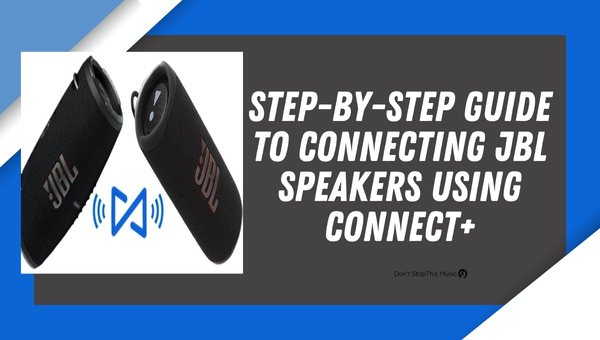
Connecting multiple JBL speakers together is a simple task that I can guide you through step-by-step. Using JBL Connect+ is one of the most popular methods to connect these devices. This feature is available in several JBL models, such as the Flip 4, Charge 4, and Xtreme 2. Follow these instructions to get started:
Step 1: Power on all JBL speakers
To begin, turn on all the JBL speakers you wish to connect. Ensure they are fully charged or connected to a power source to avoid any interruptions during the process.
Step 2: Access the JBL Connect app
Next, you’ll want to download the JBL Connect app from either the Google Play Store or Apple App Store, depending on your device. Once downloaded, open the app and grant the required permissions.
Step 3: Pair the primary speaker
The first speaker you connect will serve as the primary speaker. To pair it with your smartphone or tablet, hold down the Bluetooth button on the speaker until it starts searching for your device. When your device’s name shows up on the app, tap to connect.
Step 4: Activate JBL Connect+
Look for the JBL Connect+ (or Connect) button on the primary speaker, which usually resembles an hourglass icon or a series of stacked rectangles. Press that button to activate the feature. The primary speaker will start searching for other Connect+ compatible speakers nearby.
Here are some of the JBL speaker models which support Connect+:
- JBL Flip 4
- JBL Charge 4
- JBL Xtreme 2
- JBL Pulse 3
Step 5: Connect additional speakers
To link additional speakers, press the JBL Connect+ button on each of them. They should now appear on the app’s screen. Tap on them to connect. The primary speaker’s Connect+ indicator will blink while the connection is being established and will stay lit once connected.
Step 6: Adjust sound settings
Once all speakers are connected, you can adjust the sound settings in the JBL Connect app. You can enable the Party Mode or Stereo Mode. In Party Mode, all speakers play the same music, while Stereo Mode designates left and right channels for a surround sound experience.
That’s it! You’ve now successfully connected multiple JBL speakers using Connect+. Enjoy your enhanced audio experience and feel free to adjust settings, add or remove speakers, and explore your new audio setup.
Step-by-Step Guide to Connecting JBL Speakers Using PartyBoost
Connecting multiple JBL speakers together for synchronized playback is much easier than you might think, thanks to JBL’s PartyBoost feature. In just a few simple steps, you can create an immersive audio experience. I’ve created a step-by-step guide for you to follow, so let’s dive in.
Step 1: Power up the JBL Speakers
Start by turning on all the JBL speakers you’d like to connect together. Make sure they’re charged and within range of each other. If any speaker is currently paired with a device, disconnect it to prevent interference during the setup process.
Step 2: Enable PartyBoost on the Primary Speaker
Select one of the JBL speakers as the primary speaker. Locate the PartyBoost button, which usually features an icon depicting two speakers side by side. Press and hold the button for a couple of seconds until the LED light on the speaker begins to blink, indicating that PartyBoost mode is active.
Step 3: Pair the Primary Speaker to Your Device
Pair the primary speaker with your Bluetooth-enabled device, such as a smartphone or tablet. To do this, set your device’s Bluetooth settings to discover nearby devices and select your JBL speaker’s name when it appears as an available option.
Step 4: Connect Additional JBL Speakers
With PartyBoost mode activated on the primary speaker, press the PartyBoost button on each additional speaker you wish to connect. Do this one at a time, waiting for the LED lights on both the primary speaker and the additional speaker to sync up. This confirms that they’re connected successfully. Repeat this step for each speaker you want to add to the network.
Step 5: Enjoy Your Connected JBL Speakers
Once you’ve connected all the JBL speakers, playback should be synchronized across all of them. Adjust the volume and equalizer settings on your device, and sit back to enjoy an amplified listening experience.
In summary, connecting multiple JBL speakers together using PartyBoost involves the following steps:
- Power up the JBL speakers
- Enable PartyBoost on the primary speaker
- Pair the primary speaker with your device
- Connect additional JBL speakers
- Enjoy synchronized playback from all connected speakers
By following my step-by-step guide, you’ll be able to create an impressive audio experience using JBL speakers and the PartyBoost feature.
Troubleshooting Common Connection Issues
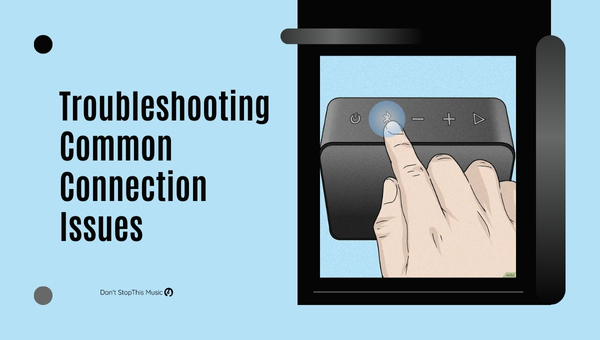
It’s no secret that connecting multiple JBL speakers can significantly enhance your listening experience. However, it’s not always smooth sailing. I’ll walk you through some common connection issues and how to resolve them for a better, more seamless experience.
First off, always check for software updates before attempting to connect your speakers. Many connectivity problems stem from outdated software:
- Ensure your phone, tablet, or other device’s software is up to date
- Update the JBL Connect app if you’re using it
- Download the latest firmware for your JBL speakers
Another common issue you might encounter is Bluetooth interference. While Bluetooth technology has improved over time, interference from other devices can still cause problems:
- Keep your speakers and device within range (about 30 feet or 10 meters)
- Move away from or turn off other Bluetooth-enabled devices or Wi-Fi routers
- Make sure your speakers are fully charged (insufficient power can lead to poor Bluetooth performance)
In case the speakers just won’t pair, try resetting the Bluetooth connection:
- Turn off all JBL speakers
- Turn off the Bluetooth in your device
- Wait a few seconds, then turn on the Bluetooth in your device
- Turn on the first JBL speaker and pair it with your device
- Turn on the second JBL speaker and pair it with the first speaker
- Repeat the process for additional speakers
Occasionally, you may experience difficulties connecting more than two JBL speakers. Here are a couple of solutions:
- Double-check if all the speakers are compatible with the JBL Connect app or JBL PartyBoost feature
- Make sure the app is the most recent version (older versions might not support multiple connections)
If you’ve encountered audio sync issues between speakers, consider the following steps:
- Disconnect and reconnect the speakers
- Move the speakers closer together
- Restart your device
Lastly, don’t hesitate to contact JBL customer support if you’re still having trouble. They can help diagnose issues specific to your setup and guide you through the troubleshooting process.
Armed with these troubleshooting strategies, you’ll be well-equipped to tackle common connection issues and get the most out of your JBL speakers. Go forth and enjoy your enhanced listening experience!
Tips for Optimizing Speaker Positioning
When it comes to connecting multiple JBL speakers together, it’s crucial to optimize their positioning to create the best possible listening experience. In this section, I’ll share some valuable tips to help you perfect your speaker setup.
First and foremost, be mindful of the listening area. Consider the space where you and your guests will be primarily enjoying the music. Aim to position your speakers in a way that provides even coverage of sound throughout that designated space. An ideal setup would be placing them in the room’s corners, angling them towards the center of the listening area.
Next, keep in mind the importance of symmetry. Placing your speakers symmetrically will help create a balanced sound, avoiding any unwanted dominance of high or low frequencies. Try to maintain an equal distance between speakers to create an immersive and consistent listening environment.
Don’t forget to create a wide soundstage. The soundstage refers to the perceived image of the sound created by the speakers. In order to achieve this with multiple JBL speakers, position them far enough apart to ensure a broad and immersive experience. Here are some general guidelines for different types of setups:
- Stereo: Place the speakers at least 6 feet apart. Recommended angles: 20 to 30 degrees off-axis from the listeners.
- Surround Sound: Follow the guidelines provided by your surround sound system, but usually have front speakers placed at an equal distance from the listeners and surround speakers located on the sides or slightly behind.
It’s also helpful to secure the speaker’s position. Make sure they’re placed on solid, non-resonant surfaces to reduce any potential unwanted vibrations. You may also want to consider using speaker stands, wall mounts, or rubber pads to further optimize your speakers’ performance.
In addition to all the above tips, remember that experimentation is key. Don’t hesitate to experiment with different speaker placements and angles to find the best configuration for your personal listening space. Making small adjustments to the positioning may vastly improve the overall sound quality.
To sum up, optimizing speaker positioning is crucial for achieving the best sound quality when connecting multiple JBL speakers together. Pay attention to the listening area, maintain symmetry, create a wide soundstage, secure your speakers, and do not be afraid to experiment. With these tips in mind, you’ll be well on your way to creating a fantastic listening environment for you and your guests.
Pairing Additional Devices to Your JBL Speakers
Expanding your audio experience by connecting multiple JBL speakers can really enhance the atmosphere at any gathering, whether it’s a small party, or a big event. Using JBL Connect and JBL Connect+ technologies, the process of linking devices is made simple. Let’s dive into pairing multiple devices with your JBL speakers.
Firstly, it’s essential to identify whether your JBL speakers support JBL Connect or Connect+. While both technologies enable linking devices, there are subtle differences between them. JBL Connect allows pairing up to 2 speakers, while Connect+ allows connecting over 100 speakers, creating an immersive audio experience.
Here’s how to connect multiple JBL speakers using these technologies:
JBL Connect Steps
- Turn on both of the JBL speakers that support the JBL Connect feature.
- Enable the Bluetooth connection on your main device (your smartphone, tablet, etc.)
- Pair your main device with one of the JBL speakers.
- On the paired JBL speaker, press the JBL Connect button – this will set it as the primary speaker.
- On the second JBL speaker, press the JBL Connect button as well. Both speakers should automatically connect and play in synchronized sound.
JBL Connect+ Steps
- Turn on all the JBL speakers that support the JBL Connect+ feature.
- Enable Bluetooth connectivity on your main device (smartphone or tablet).
- Pair your main device with one speaker, which will act as the primary speaker.
- Press the Connect+ button on the primary speaker – this will put it in connecting mode. The Connect+ button will blink.
- Press the Connect+ button on each additional JBL speaker. They’ll then connect to the primary speaker.
- Once done, the Connect+ button will stop blinking, indicating a successful connection.
The compatibility between Connect and Connect+ technologies is limited. Devices with Connect+ cannot be connected with those that only support Connect.
For connecting devices that are not JBL branded or don’t support these technologies, you can use third-party tools like AmpMe or hardwired solutions like the daisy chain technique. With AmpMe, you simply download the app and follow the in-app instructions. However, for the daisy chain technique, you’ll need to connect your speakers with each other using a 3.5mm aux cable. Keep in mind that these methods may not deliver the same seamless connectivity and synchronized sound as JBL Connect and Connect+ provide.
By properly setting up your JBL speakers, you can truly enhance your audio experience and transform your gatherings into something unforgettable.
Compatible JBL Speaker Models
Before diving into the step-by-step guide on how to connect multiple JBL speakers together, it’s important to understand which JBL speaker models are compatible with this feature. Not all JBL speakers have the ability to connect with others, so ensure your speakers are part of the JBL Connect or JBL Connect+ compatible models.
There are two main technologies used to connect multiple JBL speakers:
- JBL Connect: This technology supports pairing up to two speakers.
- JBL Connect+: This advanced technology supports connecting more than 100 speakers.
Here’s a rundown of some popular JBL speakers that are compatible with either JBL Connect or JBL Connect+:
| Speaker Model | Compatibility |
|---|---|
| JBL Charge 3 | JBL Connect+ |
| JBL Charge 4 | JBL Connect+ |
| JBL Pulse 2 | JBL Connect |
| JBL Pulse 3 | JBL Connect+ |
| JBL Flip 4 | JBL Connect+ |
| JBL Xtreme | JBL Connect |
| JBL Xtreme 2 | JBL Connect+ |
Now that you’ve seen a list of compatible JBL speakers, it’s important to note that you can only connect speakers with the same technology. For instance, JBL Connect speakers can only pair with another JBL Connect speaker, whereas JBL Connect+ speakers can only pair with other JBL Connect+ speakers. They are not cross-compatible.
It’s also worth mentioning that JBL recently launched a new technology called PartyBoost. This feature is found in the latest JBL speaker models, such as the JBL Flip 5, JBL Pulse 4, and JBL Boombox 2. PartyBoost is incompatible with JBL Connect and JBL Connect+, so ensure you have the right combination of speakers if you plan to use PartyBoost.
In summary, always double-check the compatibility of your JBL speakers before attempting to connect them together. By doing so, you’ll ensure a seamless audio experience and prevent potential issues during setup.
Limitations of Connecting Multiple JBL Speakers
While connecting multiple JBL speakers together can enhance your listening experience, it’s important to be aware of some limitations that may come with it. Let’s take a closer look at these constraints to help you make an informed decision when setting up your JBL speaker system.
Compatibility issues can arise when attempting to connect multiple JBL speakers. To ensure seamless audio synchronization, you’ll need to use speakers that support JBL Connect or JBL Connect+ technology. It’s worth noting that, unfortunately, not all JBL speakers are compatible with each other.
One constraint worth mentioning is the maximum number of speakers that can be connected. For speakers using JBL Connect, the maximum limit is two. However, if you’re using the newer JBL Connect+ technology, you can link up to 100 speakers.
Another concern is battery life. When you link multiple speakers together, they’ll play audio in synchronization, which can be demanding on their batteries. This increased usage may lead to a shorter battery life for your speakers, especially if you plan on using them for an extended period.
Additionally, connecting JBL speakers from different product lines may result in uneven audio performance due to their varying audio output. To ensure an exceptional audio experience, consider pairing speakers that share a similar audio profile.
Lastly, it’s essential to keep in mind the audio latency that can sometimes occur when connecting multiple speakers. Although JBL Connect and Connect+ are designed to minimize this issue, factors like signal strength and distance between speakers can still lead to noticeable audio delays.
To sum up, be mindful of these limitations when connecting multiple JBL speakers:
- Compatibility issues among JBL speakers
- Maximum number of connectable speakers
- Reduced battery life
- Uneven audio performance from different product lines
- Occurrence of audio latency
By being aware of these constraints and properly addressing them, you’ll be able to enjoy a fantastic listening experience when connecting multiple JBL speakers together.
Conclusion: Enhance Your Audio Experience
Connecting multiple JBL speakers together can significantly improve your audio experience. Whether you’re hosting a party or enjoying a movie night, the enhanced sound quality provided by interconnected JBL speakers will elevate the atmosphere. Let’s briefly recap the benefits of connecting multiple speakers and the simple steps to achieve it.
Some of the advantages of using multiple JBL speakers together:
- Increasing the volume for a more immersive experience
- Expanding the sound coverage for larger rooms or outdoor areas
- Creating a multi-room audio system for seamless music playback throughout your home
To connect multiple JBL speakers together, follow these easy steps:
- Make sure all your JBL speakers have the Connect or Connect+ feature
- Power on the desired speakers
- Press the Connect or Connect+ button on the primary speaker
- Press the same button on additional speakers within 20 seconds
- Wait for a confirmation tone indicating a successful connection
This step-by-step method will work for most JBL speakers, but be sure to double-check the compatibility and connection process for your specific model. With multiple JBL speakers connected, you’ll enjoy a truly immersive audio experience that will impress your friends and make any gathering more memorable. So go ahead, unleash the full potential of your JBL speakers and enjoy the enhanced sound quality.