
Having a seamless audio experience is on everyone’s wishlist, and connecting multiple Bluetooth speakers can turn that dream into a reality. It’s a must-have feature for those who entertain at home often, or simply enjoy filling their space with rich, immersive sound. In this article, I’ll be sharing the easy way to link up multiple Bluetooth speakers for an audio experience that you won’t forget.
Setting up multiple Bluetooth speakers isn’t as difficult as it might seem. Depending on the compatibility of your devices, it can be as straightforward as tapping a few buttons. By diving into these methods, you’ll soon have your speakers working together like a well-tuned orchestra, amplifying the audio in your space and impressing your guests.
As you continue reading, I’ll be covering some of the key factors such as the type of speakers you have, popular apps and technologies that can make this process even easier, and some valuable tips for creating the ultimate audio setup. By the time you’re finished reading, you’ll have mastered the art of connecting** multiple Bluetooth speakers without breaking a sweat**. So, let’s get started!
- Understanding Bluetooth Technology
- Why Connect Multiple Bluetooth Speakers
- Choosing
- Pairing Process: Simplified Steps
- Using Apps for Seamless Connectivity
- Advanced Options: Stereo and Party Modes
- Troubleshooting Common Issues
- Safety Precautions and Tips
- Alternatives to Easy Bluetooth Connection
- Wrapping It Up
Table of Contents
- Understanding Bluetooth Technology
- Why Connect Multiple Bluetooth Speakers
- Choosing
- Pairing Process: Simplified Steps
- Using Apps for Seamless Connectivity
- Advanced Options: Stereo and Party Modes
- Troubleshooting Common Issues
- Safety Precautions and Tips
- Alternatives to Easy Bluetooth Connection
- Wrapping It Up
Understanding Bluetooth Technology
When diving into the world of Bluetooth speakers, you’ll quickly realize that Bluetooth technology plays a key role in streamlining your audio experience. Knowing the basics of Bluetooth will help you choose the right devices and make pairing multiple speakers a breeze.
Bluetooth is a wireless technology used to exchange data and transmit audio between devices, such as smartphones, computers, and speakers. The technology uses radio waves instead of cables or wires, making it a convenient solution for connecting multiple devices seamlessly. The most important fact to understand is that Bluetooth operates in a designated frequency band, which is 2.4 to 2.485 GHz.
There are several Bluetooth versions available today, with each new version improving upon its predecessor in terms of range, speed, and power consumption. Currently, the most common ones are Bluetooth 4.0, 4.2, and 5.0. Understanding these different versions is essential when trying to connect multiple speakers or other Bluetooth devices. Here’s a quick comparison to provide some insight:
| Version | Range | Data Rate |
|---|---|---|
| 4.0 | 60 meters | 1 Mbps |
| 4.2 | 60 meters | 1 Mbps |
| 5.0 | 240 meters | 2 Mbps |
Some critical advantages of Bluetooth technology include:
- Its low power consumption allows for extended battery life in even the smallest devices.
- It supports multidevice connections, ideal for connecting multiple Bluetooth speakers for a more immersive audio experience.
- Bluetooth’s adaptive frequency hopping minimizes signal interference, ensuring steadier and more reliable connections.
One crucial aspect to consider when pairing multiple Bluetooth speakers is compatibility. While Bluetooth technology has advanced over the years, older versions may not work with newer devices or with more recent Bluetooth versions. Checking the compatibility between devices can help avoid connectivity issues.
To sum it up, understanding Bluetooth technology is vital for making informed decisions when connecting multiple Bluetooth speakers. Familiarizing yourself with different Bluetooth versions and their nuances will ensure smooth device pairing and an enjoyable audio experience.
Why Connect Multiple Bluetooth Speakers
There are several good reasons for connecting multiple Bluetooth speakers, some of which include:
- Enhancing sound quality: Combining the audio output from multiple speakers can result in more immersive and richer audio experiences. It’s especially useful for large gatherings or open spaces where a single speaker may not be powerful enough to deliver the desired sound quality.
- Expanding coverage area: Sometimes a single Bluetooth speaker can’t cover the entire area where you’d like your audio to be heard. By connecting multiple speakers, you’re able to distribute the sound more evenly and extend the range of your audio coverage.
- Creating a surround sound effect: A multi-speaker setup can help you achieve that impressive surround sound effect in your living room or entertainment space. This allows for a more engaging audio experience when watching movies, playing video games, or listening to music.
- Improving audio synchronization: If you’re hosting a party or gathering and want multiple speakers playing the same audio, connecting them ensures that music is in sync, so there are no gaps or audio interference.
- Customizing audio experience: You may want to personalize your audio experience by adjusting the volume and audio balancing in different parts of a room. By connecting multiple Bluetooth speakers, you can easily customize the audio output to suit different preferences and environments.
To give you an idea of how popular it is to use multiple Bluetooth speakers, here’s a table that shows a quick comparison between a single speaker setup and a multi-speaker setup.
| Setup Type | Pros | Cons |
|---|---|---|
| Single Speaker Setup | Easier to set up | Limited audio coverage, lower sound quality |
| Multi-Speaker Setup | Greater audio coverage, enhanced sound quality | Takes more time and effort to set up |
Connecting multiple Bluetooth speakers can result in a more enjoyable audio experience, from richer sound quality to expanded coverage. There are many applications for this type of setup, such as:
- Hosting large parties or gatherings
- Outdoor events
- Home theaters and entertainment rooms
- Spaces with high ceilings or other acoustical challenges
So, whenever you want to take your audio experience to the next level or need to accommodate a larger audience, connecting multiple Bluetooth speakers becomes an effective solution. To get started with this setup, there’s no need to worry – as I’ll be guiding you through the easy way of connecting multiple Bluetooth speakers in the following section.
Choosing
Pairing Process: Simplified Steps
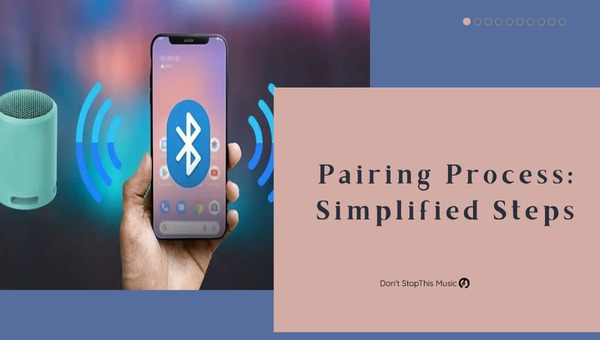
Connecting multiple Bluetooth speakers can seem like a daunting task, but I’m here to simplify the process for you. With just a few easy steps, you’ll have your speakers synced and ready to amplify your audio experience.
First things first, identify the speakers’ compatibility. It’s crucial to make sure your Bluetooth speakers can work together. Certain manufacturers design their speakers to pair easily with others in the same product line. To find out if your speakers can connect, check the user manual or manufacturer’s website for compatibility information.
Once you know your speakers can pair, here’s a straightforward step-by-step guide on how to connect multiple Bluetooth speakers:
- Power on your speakers: Make sure all the speakers are charged and turned on. Place them within close proximity to each other to ensure a stable connection.
- Enter pairing mode: For most speakers, this involves pressing a designated “pairing” or “sync” button on the device. Commonly, you’ll hear a distinct sound or see an indicator light that confirms the device is in pairing mode.
- Connect the speakers: Depending on the speakers, they’ll either auto-connect, or you may need to use a smartphone, tablet, or other Bluetooth-enabled devices to manually create the connection.
- Adjust settings: Some manufacturers offer unique features for connecting multiple speakers through an app. Download the necessary software and explore the settings to get the best audio setup for your needs.
In some cases, you might be working with speakers that aren’t designed to pair together. But worry not; there are still some solutions:
- Bluetooth Audio Receiver/Transmitter: These handy devices can connect to your audio source and act as a hub for broadcasting audio signals to multiple speakers.
- Third-party apps: Some apps, like AmpMe, can sync audio across multiple devices, regardless of the brand or manufacturer. Keep in mind that using a third-party app may affect audio quality and suffer from audio-syncing issues.
When connecting multiple Bluetooth speakers, remember these key points:
- Compatibility: Ensure your speakers are designed to connect to each other.
- Proximity: Keep speakers within close range for a stable, consistent connection.
- Use reliable hardware and software: Investing in a Bluetooth Audio Receiver/Transmitter or a well-designed app can make your audio experience more enjoyable.
By following these simplified steps, it won’t take long before you’re enjoying the immersive, high-quality audio provided by multiple Bluetooth speakers. Ready to get started? Grab your compatible devices and follow along to make your audio dreams a reality.
Using Apps for Seamless Connectivity
When it comes to connecting multiple Bluetooth speakers, there’s an easy way that I’d like to share with you: using apps for seamless connectivity. These apps make setting up and controlling your speaker network a breeze, giving you the best listening experience possible. So, let’s dive right in and explore some popular options.
One app that remains a favorite is AmpMe. This app is compatible with both iOS and Android devices, allowing users to sync multiple devices and play music simultaneously through their connected speakers. It’s got a user-friendly interface, making it easy for anyone to control the volume and playback settings on all linked speakers. Some of the features you can enjoy with AmpMe include:
- Mixing Spotify, Deezer, SoundCloud, or your local music library
- Compatible with popular Bluetooth speakers
- Party chat feature for messaging friends within the app
Another app I recommend is Audiocast. It’s designed specifically for the Audiocast series of Wi-Fi speakers, but it’s also compatible with generic UPnP and DLNA devices. Using this app unlocks multi-room and multi-zone functionality, letting you play the same or different music on different speakers around your home. A few more advantages of Audiocast are:
- Stream music from popular services like Spotify, Pandora, and Tidal
- Supports high-res audio formats like FLAC and ALAC
- Option to individualize speaker settings like volume and EQ
Lastly, I want to mention SoundSeeder. Available on Android, this app allows you to sync multiple devices and speakers to create a larger sound system. It’s easy to connect your devices, and once connected, you’re able to stream music from various sources such as Google Play Music, Spotify, and Internet radio. The SoundSeeder app offers:
- Compatibility with Android devices and Bluetooth speakers
- Listening mode for voice chatting within the app
- Speaker sleep timer and auto speaker shutoff
To sum it up, these are just a few notable apps that can help you effortlessly connect multiple Bluetooth speakers. With the right app, you’ll be able to create an impressive soundscape in your home without any fuss. Don’t hesitate to test them out and find the app that best suits your needs.
Advanced Options: Stereo and Party Modes
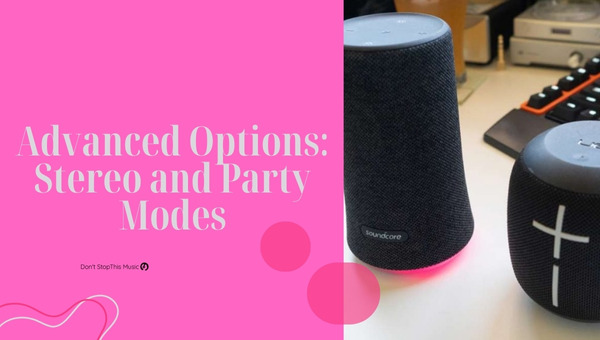
When it comes to connecting multiple Bluetooth speakers, I’ve found that there are some advanced options, such as Stereo and Party Modes, that can greatly enhance your listening experience. In this section, I’ll explain these modes and how they work, to help you get the most out of your Bluetooth speaker setup.
Stereo Mode is perfect for those who seek a more immersive audio experience. This configuration typically connects two speakers, with each one outputting either the left or right audio channel. As a result, you’ll enjoy a clear separation between the left and right audio channels, creating a fuller and more nuanced sound. Some popular Bluetooth speakers offering this feature include the JBL Flip, Bose SoundLink, and Ultimate Ears BOOM series.
On the other hand, Party Mode is designed for users who want to pump up the volume and fill a larger space with sound. This mode allows you to connect multiple speakers and have them all play the same audio in sync. This can make a significant difference at gatherings or events where you need your music to reach a wider audience. Prominent Bluetooth speakers featuring Party Mode include the Sony SRS-XB, Anker Soundcore, and Ultimate Ears MEGABOOM series.
To set up these advanced options, follow these simple steps:
- Pair the first speaker: Connect your device to the primary speaker you want to use, making sure it’s in pairing mode.
- Enable the desired mode: Depending on your speaker model, you may need to use the included app or press a button on the speaker itself to enable Stereo or Party Mode.
- Pair additional speakers: For Stereo Mode, make sure to pair the second speaker. For Party Mode, pair as many speakers as you wish to connect.
- Check connections: Confirm that all speakers are connected and playing audio according to the selected mode.
It’s important to note that while many Bluetooth speakers allow for connecting in Stereo or Party Modes, there might be compatibility limitations between different speaker brands and models. In some cases, you may only be able to use these advanced options with speakers from the same product line or brand. Before purchasing speakers with the intent to use these modes, it’s crucial to verify that they’re compatible with one another.
In summary, Stereo and Party Modes have their own unique advantages, providing an improved audio experience in various situations. By understanding these options and how to set them up properly, you’ll be well-equipped to make the most of your Bluetooth speaker connections.
Troubleshooting Common Issues
When connecting multiple Bluetooth speakers, sometimes things don’t go as smoothly as planned. In this section, I’ll cover some common issues you may run into and provide helpful tips to troubleshoot them. Don’t worry; with a little patience, you’ll be enjoying your tunes in no time.
Pairing Problems
One of the most common challenges people face is having troubles pairing their devices. If you’re experiencing this, try the following steps:
- Ensure the speakers are within range of each other and the Bluetooth-enabled device.
- Make sure both speakers are powered on and in pairing mode.
- Turn off nearby devices that may interfere with the Bluetooth connection.
Connection Dropping Out
Sometimes speakers might connect initially but occasionally experience dropped connections. Here are a few remedies:
- Move the speakers closer to the Bluetooth source to strengthen the connection.
- Restart the Bluetooth device and speakers.
- Update firmware on the speakers if available.
- Disable other wireless connections that might cause interference.
Audio Sync Issues
Occasionally, there might be a noticeable lag between Bluetooth speakers, creating an unpleasant listening experience. To address this:
- Check if your speakers have a latency adjustment feature and utilize it to synchronize the audio.
- Use apps or software designed to optimize latency and synchronize Bluetooth audio playback.
- Some Bluetooth transmitter-receiver devices offer built-in latency controls. Consider investing in one if the problem persists.
Sound Quality Issues
If the sound quality isn’t up to par with multiple Bluetooth speakers, consider these tips:
- Adjust the volume and EQ settings on the speakers and the connected device to ensure they’re not causing distortion.
- Inspect the physical condition of the speakers for damage or defects that might affect sound quality.
Incompatible Devices
While many Bluetooth devices are compatible, some might not work well together. Check the following:
- Generally, speakers using Bluetooth 5.0 are more likely to support connecting to multiple speakers. Make sure your speakers and source device are compatible with this standard.
- Look up the manufacturer’s recommendations on how to set up their product for multi-speaker connections.
By learning how to troubleshoot these common issues, you’ll be able to relax and enjoy your favorite music on multiple Bluetooth speakers without any hassle. Give these tips a try, and soon you’ll be a master of connecting multiple Bluetooth speakers.
Safety Precautions and Tips
When connecting multiple Bluetooth speakers, it’s essential to keep some safety precautions and tips in mind to ensure a smooth and enjoyable experience. In this section, I’ll cover those crucial points.
First and foremost, carefully read the user manual for each Bluetooth speaker. Specific guidelines and instructions are provided for proper usage and compatibility, which help safeguard against possible accidents or damages to your devices.
While connecting different speakers, remember not to overload electrical outlets. Overloading may lead to short circuits, device damage, or even fire. Check the maximum capacity of your outlets and be mindful of how many devices are plugged in at any given time.
If you’re setting up speakers outdoors or near water sources, it’s essential to protect them against water damage. Here are a few precautionary measures:
- Always use water-resistant Bluetooth speakers when near water.
- Keep speakers away from potential water splashes or spills.
- Use waterproof coverings when necessary to protect your devices.
Signal interference might be an issue while connecting multiple Bluetooth speakers. To minimize this:
- Reduce the number of signal-obstructing objects (like walls and furniture) between connected devices.
- To avoid cross-interference, keep them at a reasonable distance from other Bluetooth-enabled devices and Wi-Fi routers.
- Flyovers or high-traffic areas might also interfere with connectivity; hence it’s better to avoid them when using multiple Bluetooth speakers.
Manage the volume levels to protect your hearing and to prevent excessive noise disturbance to others. Prolonged exposure to loud music may lead to temporary or permanent hearing damage.
Although it’s tempting to have all your speakers blasted at maximum volume, be mindful of your surroundings and the potential impact on others. Respecting local noise regulations and maintaining a reasonable volume preserve the listening experience for everyone.
Lastly, ensure all devices are securely mounted or positioned to prevent accidents like devices toppling over or falling. Proper mounting helps avoid damage to the speakers and the area around them. Always use appropriate mounting equipment, and if you’re unsure, seek professional help.
Remember, a little caution goes a long way. Adhering to these safety precautions and tips can help create an enjoyable event, free of any unwanted hiccups.
Alternatives to Easy Bluetooth Connection
Sometimes, connecting multiple Bluetooth speakers the easy way isn’t an option or doesn’t give the desired results. Thankfully, there are alternatives that can help you achieve a multi-speaker setup. In this section, I’ll explore some of the best approaches you can use as alternatives.
- Wired Speaker Connections: In some cases, old-school wired connections might be more suitable for your needs. By using traditional speaker cables, you can minimize any connectivity issues or latency problems often associated with Bluetooth. Some common wired connections include:
- 3.5mm Auxiliary (AUX) cables
- RCA cables
- Optical cables
- Multi-room Audio Systems: If you’re looking for a more comprehensive and reliable solution, consider investing in a multi-room audio system. Brands like Sonos, Bose, and Yamaha offer multi-room systems that can wirelessly connect speakers throughout your home. These systems typically use Wi-Fi or an Ethernet connection, ensuring stable and synchronized playback. Some advantages of multi-room audio systems include:
- Seamless speaker sync across your home
- Greater control and customization options
- Advanced speaker grouping and pairing features
- Bluetooth Adapters and Transmitters: If you have non-Bluetooth or older speakers in your setup, you can use Bluetooth adapters and transmitters to create a wireless connection. These devices plug into your speaker’s input, converting it into a Bluetooth compatible unit. Keep in mind that the overall quality and latency may depend on the adapter’s capabilities.
- Daisy Chaining: Depending on your speakers’ features, you might be able to use a technique called “daisy chaining” to connect them. This method involves connecting one speaker to another in a linear sequence, creating a chain-like effect. Some speakers come with built-in daisy-chaining functionality, while others require additional cables or adapters. Note that this method usually works best with a limited number of speakers to prevent sound distortions.
In summary, there are multiple ways to connect speakers when the easy Bluetooth option doesn’t work or isn’t feasible. These alternatives might need a bit more setup and investment, but they offer additional benefits such as stable connections, synchronized playback, and better customization options. It’s all about finding the solution that best fits your needs and preferences.
Wrapping It Up
I’ve covered the easy ways to connect multiple Bluetooth speakers and provided a comprehensive guide to help you achieve the best audio experience. Now, let’s quickly summarize the key points:
- Daisy-chaining via wired connections or using the built-in features of the speakers are effective methods.
- You can utilize Bluetooth signal splitters or apps like AmpMe, AudioBus, or JBL Connect to enhance your audio experience.
Before trying out any of these techniques, be sure to check the compatibility of your devices and consider the specific speaker features. Keep these tips in mind, and you’ll soon be enjoying your music through a seamless multi-speaker setup!
I hope this article has been helpful in guiding you to connect multiple Bluetooth speakers easily. By following the steps mentioned above, you’ll be on your way to creating a fantastic audio setup tailored to your preferences. Happy listening!