
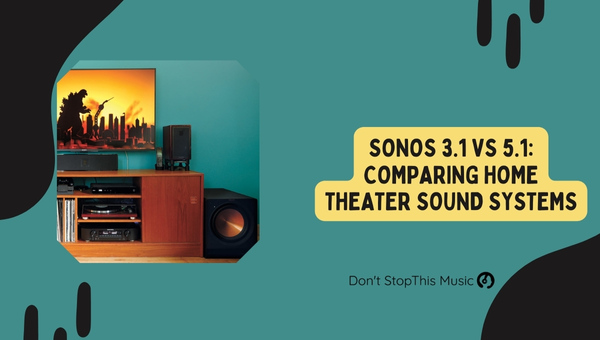
Selecting the right home audio system can be daunting, especially with attractive options like the Sonos 3.1 and Sonos 5.1. Both systems have unique strengths, and depending on your needs and preferences, one may be a better fit for your home. So, let’s dive into the main differences between these two outstanding sound systems and see which one is perfect for you.
First of all, the Sonos 3.1 system prioritizes quality sound in a minimalist setup, perfect for those who prefer a more understated design. This setup includes the Sonos Playbar or Beam, one Subwoofer, and two Play:1 speakers. While the Sonos 5.1 is meant for those seeking a high-quality immersive audio experience suited for larger rooms. The 5.1 configuration adds two rear speakers, providing a true surround sound experience, enveloping the listener and filling the entirety of the room.
When deciding between the Sonos 3.1 and Sonos 5.1 systems, there are numerous factors you should consider, such as your room size, budget, and personal audio preferences. Don’t worry, I’ll be walking you through the main points to help you determine which of these fantastic Sonos systems best meets your needs, so you can enjoy your favorite music, movies, and TV shows to the fullest.
- Understanding Sonos 3.1 and 5.1
- Sonos 3.1: Key Features and Benefits
- Sonos 5.1: Key Features and Benefits
- Comparing Audio Quality
- Assessing Home Theater Setup
- Ease of Use: Sonos 3.1 vs 5.1
- Integration with Smart Home Systems
- Customization Options
- Price Comparison and Value
- Final Thoughts: Choosing the Right System
Table of Contents
- Understanding Sonos 3.1 and 5.1
- Sonos 3.1: Key Features and Benefits
- Sonos 5.1: Key Features and Benefits
- Comparing Audio Quality
- Assessing Home Theater Setup
- Ease of Use: Sonos 3.1 vs 5.1
- Integration with Smart Home Systems
- Customization Options
- Price Comparison and Value
- Final Thoughts: Choosing the Right System
Understanding Sonos 3.1 and 5.1
Before diving into the comparison of Sonos 3.1 and Sonos 5.1, it’s essential to understand what these numbers represent. Sonos 3.1 and Sonos 5.1 are both home theater sound systems, with each number depicting the speaker configuration:
- 3.1 System: Consists of three speakers and one subwoofer, perfect for achieving a full sound experience without overwhelming the room.
- 5.1 System: Comprises of five speakers and one subwoofer, delivering a more immersive surround sound experience.
The first digit (3 or 5) indicates the number of channel speakers included in each setup, while the second digit (1) represents the subwoofer added to amplify bass and low-frequency effects.
Channel Speakers
Channel speakers are the primary components of both systems, as they define the sound quality and overall experience. In the Sonos 3.1 setup, the three speakers usually include a left, a right, and a center speaker.
On the other hand, the Sonos 5.1 system includes the same three speakers but adds an additional two to create a surround sound effect. The additional speakers are left surround and right surround speakers, typically located behind the listening position to enhance the immersive audio experience.
Subwoofer
Any 3.1 or 5.1 system is incomplete without a subwoofer. The subwoofer is primarily responsible for producing lower frequency sounds, also known as bass, which gives depth and substance to the overall audio experience.
Both the Sonos 3.1 and 5.1 systems feature a dedicated subwoofer, ensuring proper balance in audio quality and delivering a richer listening experience.
Setup and Calibration
When it comes to setting up these systems, Sonos makes it incredibly easy and seamless. With the Sonos app, users can effortlessly calibrate their speakers to optimize audio output, resulting in an exceptional listening experience in any room.
While setting up the Sonos 5.1 system may require placing a couple more speakers, the process remains as simple as the 3.1 configuration, ensuring an enjoyable initial experience with your new Sonos system.
In conclusion, it’s essential to comprehend the differences in the speaker configurations, which include channel speakers and subwoofers, when comparing Sonos 3.1 and 5.1 sound systems. However, keep in mind that regardless of your choice, Sonos ensures an extraordinary audio experience through easy setup and seamless calibration.
Sonos 3.1: Key Features and Benefits
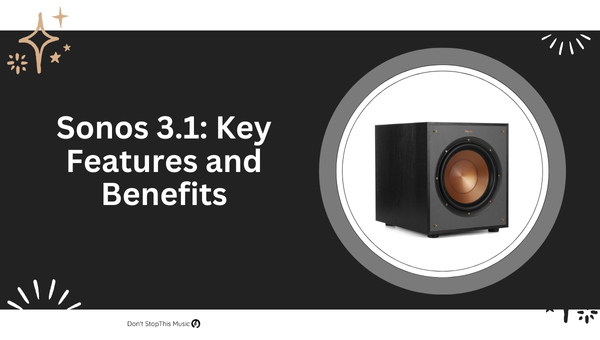
When it comes to home theater systems, the Sonos 3.1 setup offers an attractive combination of immersive audio and easy wireless connectivity. Let’s dive into the key features and benefits of this system to give you a better understanding of what it has to offer.
First and foremost, a Sonos 3.1 system primarily consists of a Sonos Beam soundbar and a Sonos Sub for powerful bass. These components work together seamlessly to create high-quality sound that fills your room. The Beam is compact and sleek, making it a perfect fit for any space. Plus, it’s designed for easy mounting with minimal effort.
One standout feature of the Sonos 3.1 setup is its wireless nature. The Beam and Sub connect to your home Wi-Fi network, eliminating the need for cumbersome cables and offering more options for positioning. This wireless connectivity also extends to the streaming capabilities of the Beam, as it offers support for a variety of popular music services like Spotify, Apple Music, and Pandora.
With the Sonos 3.1 setup, you can expect:
- Immersive audio for movies, TV, and music
- Wireless connectivity and streaming
- Compact design for easy placement
The Sonos Beam also boasts voice control capabilities, thanks to its built-in Amazon Alexa or Google Assistant support. It offers hands-free control of your audio system, making it effortless to adjust the volume, change tracks, or even turn the system on and off.
Furthermore, Sonos products are known for their expandability. This means that, if you decide to upgrade your home theater system in the future, you can easily add more Sonos speakers to create a 5.1 or even a 7.1 setup. The system is designed to integrate seamlessly with both newer and older Sonos speakers.
In terms of audio quality, the Sonos 3.1 system holds its own against its competitors. Although it may not match the full range of a 5.1 system, it delivers clear dialogue and impressive sound effects for a satisfying listening experience. With the addition of the Sub, you’ll enjoy deep, punchy bass that takes your movies to the next level.
To sum it up, here’s a quick recap of the key features and benefits of the Sonos 3.1 system:
- Sonos Beam soundbar for clear, immersive audio
- Sonos Sub for powerful bass
- Wireless connectivity for flexible placement and streaming
- Voice control with Amazon Alexa or Google Assistant
- Expandability to grow with your home theater needs
- High-quality audio performance for movies, TV, and music
Given these features, it’s no wonder that the Sonos 3.1 system has gained popularity among those seeking a sleek, versatile, and powerful home theater audio solution. Now that you have a better understanding of the key features and benefits, you can decide whether this system is right for your home theater setup.
Sonos 5.1: Key Features and Benefits
Having personally experienced the Sonos 5.1 home theater system, I can confidently share its key features and benefits. One of the most significant advantages of this system is its impressive audio quality. The system, which consists of 5 speakers and a subwoofer, ensures a real surround sound experience. Allow me to highlight its main components and how they contribute to the system’s exceptional performance.
- Sonos Playbar: Serving as the soundbar in this system, the Playbar delivers clean, crisp dialogue, and a wide soundstage. It’s got nine built-in speakers that improve audio clarity and immersion.
- Sonos Sub: The addition of the wireless subwoofer supports powerful bass, adding depth and richness to the audio output.
- Sonos Ones or Play:1/Play:3: These speakers can be strategically placed to create a surround sound effect, enhancing the movie-watching and gaming experience.
Another important feature of the Sonos 5.1 system is the ease of setup and connectivity. All devices connect wirelessly via the Sonos App or over Wi-Fi – no need for confusing cables everywhere. Plus, the app guides you through the process to ensure optimal performance. Let’s take a look at some specs:
| Component | Dimensions (H x W x D) | Weight | Connectivity |
|---|---|---|---|
| Playbar | 3.35 x 35.43 x 5.51 in | 11.9 lbs | Ethernet, Wi-Fi, Optical |
| Sub | 15.3 x 15.8 x 6.2 in | 36.3 lbs | Ethernet, Wi-Fi |
| One | 6.36 x 4.69 x 4.69 in | 4.08 lbs | Ethernet, Wi-Fi, AirPlay 2 |
| Play:1 | 6.36 x 4.69 x 4.69 in | 4.08 lbs | Ethernet, Wi-Fi |
| Play:3 | 5.2 x 10.5 x 6.3 in | 5.71 lbs | Ethernet, Wi-Fi, Auxiliary |
But that’s not all, Sonos 5.1 also allows for multi-room audio. You can extend the audio experience from your home theater to other rooms within your household by adding more Sonos speakers. Control them individually or all at once via the Sonos App. And with Trueplay, the system automatically adjusts the output to deliver the best audio experience, regardless of your furniture, room, or speaker placement.
Beyond high-quality audio and seamless connectivity, Sonos 5.1 also offers voice control with its Sonos One speakers. This feature enables you to control your system using Amazon Alexa or Google Assistant. No need to fumble for the remote any longer, just ask your preferred voice assistant to start your favorite movie or playlist.
Overall, the Sonos 5.1 home theater system checks all the boxes for an incredible audio experience, ease of use, and versatility. The surround sound effect and deep bass will bring your movies and games to life, all in the comfort of your own home.
Comparing Audio Quality

In this section, I’ll be comparing the audio quality of Sonos 3.1 and Sonos 5.1 home theater systems. A key factor to consider in making a decision is how each system performs when it comes to sound quality.
Sonos 3.1
Sonos 3.1 consists of a Beam soundbar and a Sonos Sub. With this setup, you can expect a crisp and clear vocal performance, thanks to the Beam’s center channel. The immersive sound quality is further improved by the Sub, which delivers powerful bass for an enhanced audio experience.
Here are some audio quality highlights for Sonos 3.1:
- Beam boasts a five-speaker array for clear dialogue and vocals.
- The Sub offers deep, resounding bass that complements the Beam’s sound.
Sonos 5.1
Sonos 5.1 takes it up a notch, offering a truly immersive surround sound experience. This setup includes a Sonos Arc, a Sonos Sub, and two Sonos surround speakers. The Arc comes with 11 high-performance drivers, assuring each sound frequency is represented accurately. The Sub adds the necessary bass, while the surround speakers ensure you’re enveloped in the cinematic experience.
The audio quality of Sonos 5.1 can be summed up with the following points:
- The Arc features 11 high-performance drivers for detailed, crystal-clear audio across all frequencies.
- A more immersive experience is achieved with the addition of Sonos surround speakers to the setup.
To help visualize the difference between the two setups, here’s a markdown table:
| Sonos 3.1 | Sonos 5.1 | |
|---|---|---|
| Main Component | Beam Soundbar | Sonos Arc |
| No. of Drivers | 5 | 11 |
| Surround Sound | No | Yes |
Key Differences
Though both systems provide exceptional sound, there are critical differences to consider:
- Sonos 5.1 is designed for true surround sound, while Sonos 3.1 offers a more basic experience.
- The Sonos Arc, with 11 high-performance drivers, is an upgrade from the Beam’s five-speaker array.
- The Sonos 5.1 system is the better choice for larger spaces and dedicated home theaters.
As a final note, careful consideration of your room size, layout, and personal preferences should help you decide on the system that offers the best audio quality for your needs.
Assessing Home Theater Setup
When it comes to setting up a home theater system, it’s important to consider the differences between Sonos 3.1 and Sonos 5.1 systems. Let’s dive into some crucial factors that can influence your decision based on your preferences and needs.
Firstly, think about the size of your room. A smaller space could benefit more from the Sonos 3.1 system, which consists of a soundbar and subwoofer, providing great audio quality without occupying too much space. On the other hand, a larger room would be better suited for a Sonos 5.1 system, since it includes not only a soundbar and subwoofer, but also two rear speakers, allowing for an immersive surround sound experience.
Another key element is the audio content you’ll be consuming most often. If you primarily watch movies or TV shows, the Sonos 5.1 system would provide a more cinematic experience with its 5-channel surround sound. However, if you listen to more music or podcasts, the Sonos 3.1 setup might be a better fit, as it offers excellent stereo sound and is generally more budget-friendly.
Now, let’s discuss ease of setup. Both Sonos systems are renowned for their user-friendly installation process. Nonetheless, the 3.1 system has fewer components, making it slightly easier to set up. Yet, don’t be discouraged by the 5.1 configuration; it offers straightforward installation too, with the added bonus of TRUEPLAY, an audio calibration feature that adjusts the sound based on your room’s unique characteristics.
| Sonos 3.1 | Sonos 5.1 |
|---|---|
| Soundbar and subwoofer | Soundbar, subwoofer, and rear speakers |
| Adequate for smaller rooms | Ideal for larger rooms |
| Budget-friendly | More expensive |
| Easier setup | TRUEPLAY audio calibration |
Finally, consider the overall aesthetic you’re aiming for. The Sonos 3.1 system is subtler, with fewer components and wires to blend seamlessly into your room’s décor. Conversely, the 5.1 system, with additional rear speakers, can create a more dramatic visual presence.
To sum up, when assessing your home theater setup, keep in mind factors such as room size, content preferences, ease of installation, and desired aesthetic. Evaluate these points in relation to the Sonos 3.1 and Sonos 5.1 systems to ensure an optimal audio experience for any occasion.
Ease of Use: Sonos 3.1 vs 5.1
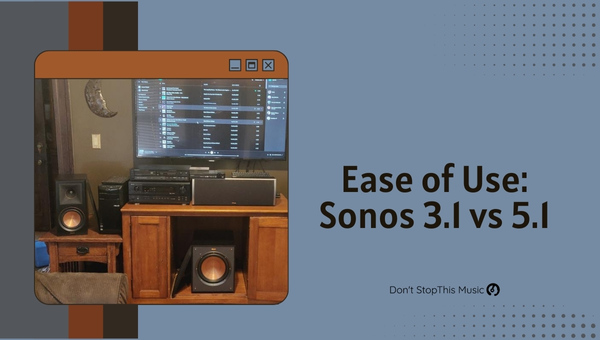
When comparing the Sonos 3.1 and Sonos 5.1 home theater systems, it’s essential to consider the ease of use for both setups. In this section, I’ll discuss the differences in setting up, operating, and maintaining these two home theater systems.
Setting up the Sonos 3.1 is a breeze, mainly because you’re dealing with fewer components. It consists of a Sonos Playbar or a Sonos Beam, along with a Sonos Sub. As a result, there are less cables to manage, and you can have your 3.1 system up and running in no time. On the other hand, the Sonos 5.1 system includes an additional two Sonos One or Sonos Play:1 speakers, which increases the setup complexity slightly.
The Sonos Controller app simplifies the setup process for both systems. The app walks you through each step, ensuring a seamless setup experience. Connecting the devices to your Wi-Fi network and syncing them with the app is quite straightforward, regardless of whether you’re using the 3.1 or 5.1 system.
When it comes to operating the systems, you’ll find that the Sonos Controller app is user-friendly and intuitive. It enables you to control various aspects like volume, play/pause, and audio settings. With support for multiple streaming platforms like Spotify, Apple Music, and Pandora, you have access to an extensive range of content. Additionally, the app allows for seamless integration with voice assistants like Amazon Alexa and Google Assistant, hence providing an interactive experience for users of both 3.1 and 5.1 systems.
Now, let’s talk about maintenance. Keeping your Sonos system up-to-date is crucial for optimal performance, and luckily, managing both 3.1 and 5.1 setups is quite simple. The Sonos app notifies you when there’s a firmware update available, and installing it is as easy as tapping the “Update” button. You can also set your preferences to have the updates installed automatically during specific hours. Apart from software updates, you might occasionally need to dust off your devices and ensure that the cables remain securely connected.
To summarize, the key differences in ease of use between Sonos 3.1 and Sonos 5.1 are:
- The 3.1 setup involves fewer components, making it slightly simpler to set up.
- The 5.1 system provides a more immersive surround sound experience due to the additional speakers.
- The Sonos Controller app plays a significant role in making both systems user-friendly and convenient to operate.
Integration with Smart Home Systems
When considering the Sonos 3.1 and 5.1 systems, it’s essential to examine their integration with popular smart home ecosystems. Both Sonos systems can seamlessly connect to popular smart home platforms like Amazon Alexa, Google Assistant, and Apple HomeKit.
Amazon Alexa
In my experience with both systems, I’ve found that Amazon Alexa compatibility offers the utmost convenience. By simply adding the Sonos skill to Alexa, I can control the volume, playback, and other settings using just my voice. Here’s a quick rundown of the Sonos integration with Alexa:
- Voice control with Alexa-enabled devices
- Compatible with Alexa groups and routines
- Access to Amazon Music, Pandora, iHeartRadio, and more
Google Assistant
Google Assistant integration adds another layer of convenience for users already invested in the Google Home ecosystem. I’ve been able to use my Google Home devices to control the Sonos systems with ease. Some of the highlights include:
- Voice control using Google Home or Nest devices
- Ability to create Google Home speaker groups with Sonos devices
- Access to Google Play Music, YouTube Music, and more
Apple HomeKit
While Sonos systems don’t natively support Apple HomeKit, I’ve discovered workarounds using third-party apps like HomeBridge. This integration makes it possible to include Sonos systems in HomeKit scenes and automations. Keep in mind, these are unofficial integrations, and some technical knowledge might be required.
Another aspect to discuss is the support for AirPlay 2. Both Sonos 3.1 and 5.1 systems offer compatibility with Apple’s AirPlay 2, allowing for seamless streaming from iOS devices and direct integration with Siri for voice commands.
| Platform | Sonos 3.1 | Sonos 5.1 |
|---|---|---|
| Amazon Alexa | Yes | Yes |
| Google Assistant | Yes | Yes |
| Apple HomeKit | No | No |
| AirPlay 2 | Yes | Yes |
In terms of smart home integration, both systems excel at providing a seamless connection to popular ecosystems. This not only enhances user convenience but also allows for custom home automation setups, benefiting users who appreciate a well-integrated smart home experience. While official Apple HomeKit support is lacking, creative solutions can be employed for those deeply invested in the Apple ecosystem.
Customization Options
When comparing Sonos 3.1 vs 5.1, I noticed that both systems offer some fantastic customization options to help create the perfect home audio experience. In this section, I’ll be discussing the main features that are available for customization in both systems.
First off, let’s take a look at the Sonos 3.1. This system consists of a Sonos Beam soundbar and a subwoofer. One of the key customization features with the Sonos 3.1 is the Trueplay Tuning. This feature allows you to optimize the sound performance based on the room’s acoustics. With the Sonos app, you can easily adjust audio settings like bass and treble levels to suit your preferences.
Additional customization options can be found in the Sonos app. You can:
- Group multiple Sonos devices together
- Set a sleep timer
- Control media playback
- Access various music services
Moving on to the Sonos 5.1, this system includes a Sonos Playbar or Playbase, subwoofer, and two Play:1, One, or One SL speakers for surround sound. You get all the customization options as in the 3.1 setup, plus more. The 5.1 system has the surround sound settings adjustable from the app, allowing you to choose the level of surround sound effect, as well as an option for stereo pairing when using two rear speakers.
Here’s a comparison of the customization features between the two systems:
| Customization Feature | Sonos 3.1 | Sonos 5.1 |
|---|---|---|
| Trueplay Tuning | Yes | Yes |
| Bass and Treble | Yes | Yes |
| Surround Sound | No | Yes |
| Stereo Pairing | No | Yes |
Keep in mind that the Trueplay Tuning feature is only compatible with iOS devices. However, with both systems, you have the option to customize your home theater setup by adding more speakers as needed.
In terms of speaker design, it’s essential to mention that the Sonos Beam, Playbar, Playbase, and Sub all come in two color options: black and white. This gives you some flexibility to match your home decor.
In summary, I’ve found that both the Sonos 3.1 and 5.1 systems have a good selection of customization options. While the 3.1 offers excellent sound customization through the Sonos app and Trueplay Tuning, the 5.1 setup takes it to another level with additional surround sound and stereo pairing settings. In either case, you can create a tailor-made audio experience that fits your tastes and preferences like a glove.
Price Comparison and Value

When considering the Sonos 3.1 and Sonos 5.1 home theater systems, it’s essential to evaluate the price and value they provide to help make an informed decision.
When it comes to the Sonos 3.1 system,
- the core component, Sonos Beam soundbar, retails for around $399
- adding a Sonos Sub for the complete 3.1 setup brings the total cost to approximately $1,298
On the other hand, the Sonos 5.1 system mainly consists of,
- the higher-end Sonos Arc soundbar which costs around $899
- a Sonos Sub priced at $699
- and finally, a pair of Sonos One SL surround speakers that cost $358
The total cost for the complete Sonos 5.1 setup is around $1,956.
Here’s a comparative table of the prices:
| Item | Sonos 3.1 | Sonos 5.1 |
|---|---|---|
| Soundbar | $399 | $899 |
| Sub | $899 | $699 |
| Surround Speakers | N/A | $358 |
| Total | $1,298 | $1,956 |
It’s important to note that I’ve experienced both systems, and I can confidently say there are differences in sound quality, performance, and connectivity features between the Sonos Beam and Sonos Arc soundbars.
The Sonos Beam is designed for smaller rooms and offers a solid sound experience. It’s compatible with Amazon Alexa and Google Assistant voice control, as well as Apple Airplay 2. As a part of 3.1 configuration, it gives you clear dialogue and rich bass with the Sub.
In contrast, the Sonos Arc is tailored for larger spaces and delivers a more expansive soundstage with Dolby Atmos support. The Arc offers the same smart features as the Beam, but its overall audio performance makes it more suitable for audiophiles or home theater enthusiasts.
So, when evaluating the value of these systems, it’s essential to consider which one best suits your own needs and preferences. The Sonos 3.1 setup offers a good balance of price and performance, while the Sonos 5.1 system provides a more premium, immersive experience at a higher cost.
Final Thoughts: Choosing the Right System
It’s been quite a journey discussing the ins and outs of Sonos 3.1 and Sonos 5.1 surround sound systems. As someone who’s experienced both systems, I can confidently guide you in making the best choice for your needs.
For small to medium-sized rooms, the Sonos 3.1 system is a fantastic choice:
- More affordable
- Compact yet powerful
- Great sound quality for the price
On the other hand, if you’re looking to elevate your audio experience further and have a larger room or dedicated home theater, investing in the Sonos 5.1 system gives you several advantages:
- Enhanced, immersive listening with two rear speakers
- Deeper, richer sound quality
- Better suited for larger spaces
Here’s a quick comparison table to help you visualize the differences between the two systems:
| Sonos 3.1 | Sonos 5.1 | |
|---|---|---|
| Price | $$$ | $$$$$ |
| Sound Quality | ★★★★ | ★★★★★ |
| Ideal Room Size | Small-Mid | Mid-Large |
| Rear Speakers for Surround | No | Yes |
So, which system is the clear winner for your situation? That depends on your budget, space requirements, and personal preferences. If you’re content with filling a smaller room with great audio and saving some money, the Sonos 3.1 is an excellent choice. But if you yearn for cinema-level surround sound, the Sonos 5.1 will undoubtedly provide the experience you’re looking for.
Ultimately, both systems are top-notch choices, and you can’t go wrong with either. It’s all about finding the perfect fit for your individual preferences and space. Happy shopping, and may the best Sonos system bring harmony to your home!