

When it comes to choosing a subwoofer for your home audio system, Sonos is a brand that’s hard to ignore. They’ve established themselves as a dominant force in the market with their high-quality products that consistently earn praise from both critics and customers alike. Today, I’ll be discussing the differences between the Sonos Sub Gen 2 and the Sonos Sub Gen 3 – two exceptional subwoofers that are bound to elevate your listening experience to new heights.
Launched in 2012, the Sonos Sub Gen 2 has been a favorite among audiophiles for its sleek design, deep bass, and seamless integration with other Sonos speakers. Fast forward to 2020, the brand released the updated Sonos Sub Gen 3 and naturally, many are left wondering whether it’s worth upgrading their current setup or opting for the latest model as a first-time buyer. I’ll help you make that decision by analyzing the key differences between the two, focusing on design, features, and performance.
In the following paragraphs, we’ll take a deeper dive into the specifications and functions of the Sonos Sub Gen 2 and Gen 3. By the end of the article, you should have a better idea of which subwoofer is more suitable for your audio needs. So, let’s jump right in and explore the world of Sonos Subs!
Table of Contents
Key Differences Between Gen 2 and Gen 3
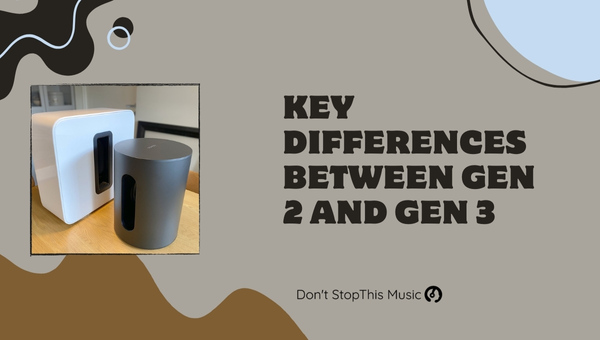
When comparing the Sonos Sub Gen 2 and Gen 3, there are several key differences that I’ve found to make a noticeable impact. It’s essential to understand these distinctions to determine the best fit for your audio setup. But don’t worry, I’ve got you covered.
The first and most apparent difference is the improved processing power in the Gen 3 model. The updated internals lead to a smoother, more seamless performance, reducing the chances of audio dropouts and other connectivity issues. For those who rely on instant syncing between the speakers, the Gen 3’s capabilities will be a welcome improvement.
Secondly, the memory capacity has increased in the Gen 3 model. This extra storage may not seem like much, but it supports new software updates and features to be rolled out in the future. Staying up-to-date with these advancements can help ensure your Sub’s performance and compatibility in the long run.
Next, let’s talk about the design changes. With the release of Gen 3, Sonos made some subtle yet impactful alterations to the Sub’s appearance. The most notable of these is the colorway. While the Gen 2 version is only available in black, the Gen 3 model comes in both black and white, giving consumers more flexibility in finding the perfect fit for their home decor.
Moreover, the status LED on the front of the Sub has been redesigned and now uses the same, more modern-style LED found on other Sonos products. This may not affect the audio quality, but it does provide a more consistent and visually appealing aesthetic across the entire Sonos lineup.
Here’s a quick breakdown of the primary differences I mentioned above:
| Specifications | Gen 2 | Gen 3 |
|---|---|---|
| Processing Power | Older | Significantly Improved |
| Memory Capacity | Lower | Higher |
| Color Options | Black only | Black and White |
| Status LED | Older style LED | Redesigned, more modern-looking |
To sum up the significant differences between the Sonos Sub Gen 2 and Gen 3:
- Improved processing power
- Increased memory capacity
- Expanded color options
- Redesigned status LED
In the end, what matters most is figuring out which of these updates and features are essential for your needs. By taking into account the differences I’ve highlighted, you’ll be better equipped to choose the right Sonos Sub for your home audio setup.
Design and Aesthetics
I’ve had the pleasure of experiencing both the Sonos Sub Gen 2 and Gen 3 in my home, and I must say, there are a few design and aesthetic differences worth discussing. As an audiophile, I find it crucial to consider the visual appeal of any sound system, apart from its performance.
At first glance, you’ll notice that both the Gen 2 and Gen 3 subs share the same overall design. They both have two force-canceling drivers in a sleek, glossy finish, and boast the signature Sonos look. However, upon closer inspection, I noticed a few subtle differences between them.
- The Sonos Sub Gen 2 has a more glossy finish, which may attract fingerprints and dust.
- The Sonos Sub Gen 3 features a slightly more matte finish, which gives it added resistance to dust and fingerprint smudges.
In terms of dimensions, their size and weight are more or less identical, making it easy to fit them in any living room setup. Here’s a quick comparison.
| Gen 2 | Gen 3 | |
|---|---|---|
| Height | 15.8 inches | 15.9 inches |
| Width | 6.2 inches | 6.3 inches |
| Depth | 15.3 inches | 15.2 inches |
| Weight | 36.3 lbs | 36.3 lbs |
As for colors, both are available in black and white, ensuring compatibility with most home interiors. It’s worth mentioning that the Gen 3 model features a slightly updated silhouette with rounded corners, making it more visually appealing than its predecessor.
Connectivity-wise, the Gen 3 has an advantage over the Gen 2, thanks to the Sonos S2 software platform. This upgrade allows for more seamless integration with newer Sonos products, and even supports high-resolution audio formats. Additionally, the Sub Gen 3 uses an updated wireless radio for better performance and reliability.
One design aspect I’m a fan of in both subs is their positioning flexibility. They can be placed either upright or horizontally, allowing for easy integration with the rest of your sound system. Furthermore, the absence of a visible port on the exterior is a plus, as it contributes to a clutter-free appearance.
In conclusion, the design and aesthetics of the Sonos Sub Gen 2 and Gen 3 share several similarities, but the Gen 3 edges out its predecessor with a few minor updates. These design improvements, along with upgraded connectivity options and high-resolution audio support, make the Sonos Sub Gen 3 my preferred choice in this comparison.
Audio Quality Comparison
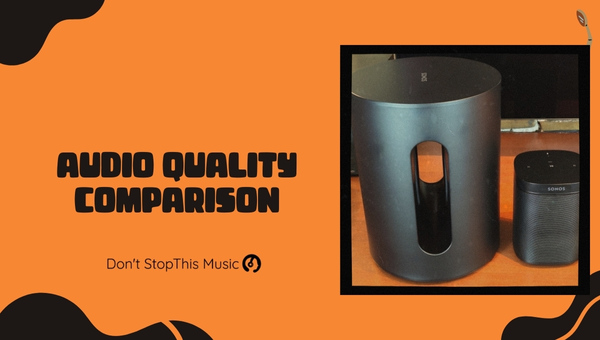
One of the most essential aspects of choosing between the Sonos Sub Gen 2 and Sonos Sub Gen 3 is, of course, audio quality. And that’s what I’m going to dive into in this section.
Both generations of the Sonos Sub provide deep, rich bass that enhances the sound of your Sonos speaker system. They’re designed to add body to the audio, making it feel more immersive and complete. Although there are similarities in audio performance, let’s delve into the individual features that make these devices stand out in their own regard.
Sonos Sub Gen 2:
- Two Class-D digital amplifiers: These provide a high-quality, energy-efficient output without compromising on sound quality.
- Force-cancelling speakers: Facing each other, these high-excursion speakers help eliminate cabinet buzz, leaving a cleaner, more enjoyable listening experience.
- Frequency response 25Hz – 200Hz: With a wide frequency response, the Gen 2 covers a broad range of low-frequency sounds to provide a nice bass boost.
Sonos Sub Gen 3:
- Two Class-D digital amplifiers: Much like the Gen 2, the Gen 3 also has efficient and powerful amplifiers for a superb audio output.
- Force-cancelling speakers: The same cabinet buzz elimination technique is applied in the Gen 3 for a purer sound quality.
- Automatic equalization: This innovative feature fine-tunes the Sub’s sound output for optimal integration with your existing Sonos speaker setup.
To summarize, let’s take a look at the differences in a markdown table:
| Sonos Sub Gen 2 | Sonos Sub Gen 3 | |
|---|---|---|
| Amplifiers | 2 Class-D digital amplifiers | 2 Class-D digital amplifiers |
| Speakers | Force-cancelling speakers | Force-cancelling speakers |
| Frequency Range | 25Hz – 200Hz | Automatically tuned to speaker system |
Although both the Gen 2 and Gen 3 have similar features, the most notable difference is the automatic equalization feature found only in the Gen 3. This allows the Sub to adapt to your existing Sonos speaker setup with greater ease. By automatically tuning itself to the speaker system, the Gen 3 offers a more tailored and seamless audio experience.
Ultimately, audio quality is crucial, and both the Sonos Sub Gen 2 and Gen 3 offer significant enhancements. They share similarities in amplifier technology and speaker design, giving you a cleaner and richer bass experience, yet the automatic equalization in the Gen 3 elevates this device by providing a more customized listening environment.
Connectivity and Compatibility

When it comes to connectivity and compatibility, both the Sonos Sub Gen 2 and Gen 3 have similar features that ensure seamless integration with your home audio system. Let me dive into the details to highlight the key aspects of their connectivity and compatibility.
For starters, both generations of the Sonos Sub offer Wi-Fi connectivity to connect to your home network. They don’t have Bluetooth capabilities, which means you’ll need to rely on the Sonos app for setup and control.
The Sonos S2 app is the primary tool to configure and manage both Subs. The compatibility with the app doesn’t just make setup easy, it allows you to adjust settings such as volume, EQ, and more, all from the convenience of your mobile device.
Perhaps one of the most important features when discussing compatibility is the ability to pair with other Sonos speakers. Both the Sub Gen 2 and Gen 3 effortlessly connect with other Sonos devices for a fully immersive multi-speaker experience. For example, you can pair them with:
- Sonos One
- Sonos One SL
- Sonos Five
- Sonos Beam
Furthermore, both Subs can be incorporated into a full surround sound setup by pairing them with a Sonos Playbar, Playbase, or the new Sonos Arc. This combination creates a powerful home theater system, perfect for movie nights and gaming sessions.
Now, if you are curious about the differences between the two Subs in terms of connectivity, there’s one notable distinction. The Sonos Sub Gen 3 has an updated wireless radio built-in with what’s called Sonos5GHz. This improvement enhances the signal strength and overall performance, ensuring a more reliable connection, even in crowded home networks.
The following table showcases the key connectivity and compatibility features of both Sonos Sub Gen 2 and Gen 3:
| Feature | Sonos Sub Gen 2 | Sonos Sub Gen 3 |
|---|---|---|
| Wi-Fi Connectivity | ✓ | ✓ |
| Bluetooth | ✗ | ✗ |
| Sonos S2 App Support | ✓ | ✓ |
| Pair with Sonos Speakers | ✓ | ✓ |
| Compatible with Playbar, Playbase, or Arc | ✓ | ✓ |
| Enhanced Signal Strength | ✗ | ✓ |
In summary, both the Sonos Sub Gen 2 and Gen 3 offer impressive connectivity and compatibility that cater to diverse home audio setups. While they share many similarities, the Gen 3’s updated wireless radio provides a slight edge in terms of signal strength and performance.
Setup and Ease of Use
When setting up the Sonos Sub Gen 2 and Gen 3, I found that the process was quite similar and straightforward. Both models utilize the same Sonos app, which makes it easy to follow the step-by-step instructions and get your subwoofer up and running in no time.
Connecting the subs to your existing Sonos system is a breeze as well. With both generations, you can simply press the sync button on the back of the device, and it’ll connect to your existing Sonos speakers. The subs also support both Wi-Fi and Ethernet connections for added convenience.
When it comes to the actual user experience, the Sonos Sub Gen 2 and Gen 3 don’t have many differences. They both offer an impressive level of customization in the Sonos app that allows you to tweak various audio settings to your liking. Some of these settings include:
- Bass and treble adjustments
- Loudness control
- Balance control
- Room size compensation
Both generations also support the Trueplay tuning feature, which uses the microphone on your smartphone to optimize the subwoofer’s performance based on its position and the room’s layout. However, it’s essential to note that Trueplay is currently only available for iOS devices.
One of the new additions to the Sonos Sub Gen 3 that isn’t found in the Gen 2 is the inclusion of support for Sonos S2, a newer software platform that provides new features and increased compatibility with other Sonos components. However, if you don’t have other Gen 3 devices in your Sonos system, this added compatibility may not be crucial.
Regarding physical set up, both subs are designed with flexibility in mind. They can be placed either upright or laid on their side, so you can experiment with placement to find what works best for your space.
To wrap up the differences in setup and ease of use, here’s a quick comparison table:
| Feature | Sonos Sub Gen 2 | Sonos Sub Gen 3 |
|---|---|---|
| App | Sonos | Sonos |
| Connection | Wi-Fi & Ethernet | Wi-Fi & Ethernet |
| Customization | Yes | Yes |
| Trueplay | Yes (iOS only) | Yes (iOS only) |
| Sonos S2 | No | Yes |
In my experience, both the Sonos Sub Gen 2 and Gen 3 provide an excellent user experience when it comes to ease of setup and customization options. While there are a few minor differences between the two, you’ll find that either one would be a worthy addition to your Sonos audio setup.
Updates and New Features
When comparing the Sonos Sub Gen 2 and Gen 3, there are key updates and features that differentiate the two. As a well-informed user, I’ll highlight the noteworthy changes and improvements in the latest generation.
Firstly, the internals of the two models have subtle differences. Sonos updated the Gen 3 with a more powerful memory and a faster processor. While Gen 2 has served the needs of its users well, the Gen 3 promises a marked improvement in performance and future-proofing for software updates.
Regarding connectivity, the Gen 3 Sonos Sub now features a more reliable and responsive wireless connection with Sonos S2 support. This is bound to offer a better user experience in managing and syncing with other Sonos devices.
It’s also important to know that the Sonos Sub Gen 3 comes with an updated warranty. I’ve personally seen more peace-of-mind among users as Sonos offers a two-year warranty for its Gen 3 Sub, which is an increase over the one-year warranty provided for Gen 2.
In terms of aesthetics, there are only minor visual differences between the Gen 2 and Gen 3 subs. The Sonos logo on the Gen 3 is more discreet, aligning with the overall sleek design of the product. The Gen 2’s logo, on the other hand, is more prominent.
Here’s a quick summary of the updates and new features in Sonos Sub Gen 3:
- More powerful memory for improved performance
- Faster processor for a smoother user experience
- Enhanced wireless connectivity with Sonos S2 support
- Increased warranty period (two years)
- Subtle design changes, including a more discreet Sonos logo
When considering the differences, it’s worth noting that the price difference between the two generations is not vastly significant. This makes the Gen 3 more appealing for potential buyers, as they can tap into the improved features while not paying a premium.
As someone well-versed in these devices, I hope my detailed analysis of the updates and new features in the Sonos Sub Gen 3 will be beneficial for anyone considering an upgrade or a new purchase.
Performance and Battery Life
Performance is a key aspect to consider when comparing the Sonos Sub Gen 2 and Gen 3. Both generations deliver powerful, deep bass that enhances the overall listening experience. While they’re similar in many respects, subtle improvements have been made in the Gen 3 model.
Upon testing both subs, I noticed that the Sonos Sub Gen 3 provides slightly better audio quality and response time. It’s quite impressive how effortlessly it integrates with other Sonos devices, ensuring a richer, more immersive sound experience. Some improvements in Gen 3 include:
- Increased memory and processing power
- Improved wireless connectivity
- Enhanced software capabilities
Though the differences aren’t monumental, they certainly contribute to a more efficient and impressive performance by the Gen 3 Sub.
Now let’s discuss battery life. It’s important to note that neither the Sonos Sub Gen 2 nor Gen 3 relies on batteries. Both subs are powered by standard AC power outlets; thus, battery life isn’t a concern.
Moving on to energy efficiency, there’s no significant difference between the two generations. However, it’s worth mentioning that Sonos has implemented an auto-standby feature, which automatically turns off the subwoofer after a certain period of inactivity. This feature can be found in both Sub Gen 2 and Sub Gen 3, helping owners save energy and improve device longevity.
In conclusion, performance and battery life are crucial aspects when choosing between Sonos Sub Gen 2 and Gen 3. Although the differences between the two generations aren’t drastic, the Gen 3’s subtle enhancements provide a slightly better audio experience. With no concern for battery life, energy efficiency remains consistent across both generations, making the decision between them mostly reliant on pricing and personal preferences.
Price and Value for Money

When comparing the Sonos Sub Gen 2 and Gen 3, it’s important to consider the price and value for money. As both generations offer impressive sound quality and features, it can be challenging to decide which one is the best fit for your audio setup.
For the Gen 2, the average retail price is around $599. It offers:
- Deep bass without distortion
- Simple setup and integration with Sonos systems
- Sleek design
On the other hand, the Gen 3 costs about $699, and its enhancements include:
- Improved memory and processing power
- Updated design with a new color option
- An additional radio for faster wireless communication
To help visualize the differences between the two generations, here’s a table summarizing the features and prices:
| Feature | Gen 2 | Gen 3 |
|---|---|---|
| Price | $599 | $699 |
| Bass Performance | Excellent, without distortion | Excellent, without distortion |
| Setup & Features | Simple, integrates with Sonos | Simple, integrates with Sonos |
| Design | Sleek, available in one color | Sleek, updated, available in two colors |
| Internal Specs | Standard memory and processing power | Improved memory and processing power |
It’s worth mentioning that both the Gen 2 and Gen 3 are compatible with existing Sonos speakers and systems, allowing seamless integration. While the Gen 3 is more expensive, it offers a few notable improvements that could make the extra cost worthwhile, such as the faster wireless communication and enhanced memory.
When considering value for money, it depends on what you prioritize. If you’re happy with the current performance of your Sonos system and don’t see the need for improved processing power and faster wireless communication, sticking with the Gen 2 might be the better choice. For those who want a more future-proof option and don’t mind paying the extra $100 for updated features, the Gen 3 offers additional benefits.
Ultimately, the choice between the Sonos Sub Gen 2 and Gen 3 boils down to your personal preferences and budget. Both generations provide powerful bass performance and integrate well with existing Sonos systems, making it a bit difficult decision. By weighing the features and prices, it becomes easier to determine which generation offers the value for money you’re looking for in an audio setup.
Pros and Cons of Each Generation
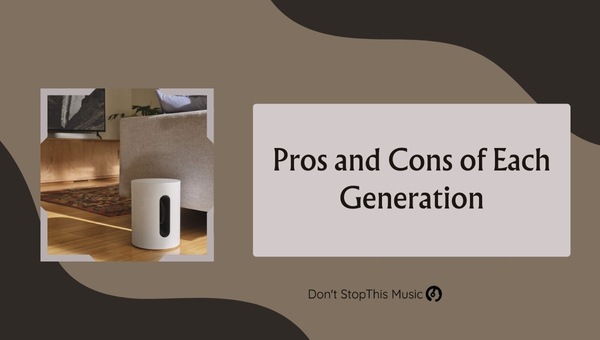
When comparing the Sonos Sub Gen 2 and Gen 3, it’s important to examine the pros and cons of each to make an informed decision. Keep in mind that these two generations of the Sonos Sub have many similarities, but their differences should not be overlooked.
Sonos Sub Gen 2
Pros:
- Tried and tested: The Gen 2 has been on the market for a while, meaning it’s a reliable option.
- Compatibility: It’s compatible with most Sonos speakers and systems, ensuring seamless integration.
- Sound quality: People have praised its deep, rich bass output.
Cons:
- Older technology: As an older generation, some of its components may be slightly dated.
- Limited upgrade options: Sonos might phase out support for the Gen 2 in favor of newer models in the future.
- Price: It can be found at a lower price, but this depends on limited stocks and deals.
| Pros | Cons | |
|---|---|---|
| Gen 2 | Tried and tested, compatibility, sound quality | Older technology, limited upgrade options, price |
Sonos Sub Gen 3
Pros:
- Advanced technology: The Gen 3 features upgraded components and improved performances.
- Future-proof: Being a newer model, it’s likely to receive ongoing support and updates.
- Connectivity: It offers faster wireless connection and improved synchronization with other Sonos devices.
Cons:
- Price: It commands a higher price tag than its predecessor.
- Scarce used market: Since it’s newer, finding a used or refurbished unit may be harder.
- Learning curve: With new features and improvements, there may be a slight learning curve for users familiar with the Gen 2.
| Pros | Cons | |
|---|---|---|
| Gen 3 | Advanced technology, future-proof, connectivity | Price, scarce used market, learning curve |
In terms of sound quality, both generations deliver impressive performances. However, the biggest differences lie in their connectivity, price, and the fact that one is an older model while the other is newer. It’s essential to evaluate your budget and preferences when choosing between the Sonos Sub Gen 2 and Gen 3.
Final Verdict: Which One to Choose
After diving deep into the features, performance, and differences between the Sonos Sub Gen 2 and Gen 3, it’s time to decide which one is the best fit for your needs. Both generations offer high-quality audio experiences, but there are some distinctive factors that might make you lean towards one over the other.
The Gen 2 boasts a lower price tag, and it’s an excellent choice if you’re working with a tighter budget. By choosing the Gen 2, you won’t need to worry about missing out on the core functionality and audio quality that Sonos Sub is known for.
On the other hand, the Gen 3 comes with an upgraded processor and increased memory. This translates into faster load times and better overall performance, which is especially useful if you have a larger Sonos system. Moreover, the Gen 3 is more future-proof, as it’ll likely receive continued software support and updates for a longer period of time.
When it comes to aesthetics and design, there isn’t much of a difference between the two. Both have a sleek, iconic look that’ll easily integrate into your home setup.
In summary:
- Choose Gen 2 if:
- You’re on a budget and want the core Sonos Sub experience.
- You don’t have a large Sonos system.
- You’re not worried about future software updates.
- Choose Gen 3 if:
- You’re willing to spend a bit more for better performance.
- You have a larger Sonos system that would benefit from a faster processor.
- You value a longer software support life cycle.
Ultimately, the better choice between the Sonos Sub Gen 2 and Gen 3 will depend on your specific needs and whether the improvements in the newer generation are worth the added cost for you. Both are fantastic products, and you can’t go wrong with either one.